Export your Project to send
Collect All and Save
If you want to send your project to someone else, you have to make sure all samples, edits are included. Fortunately it is a fairly simple process.
- go to the menu “File -> Save Project As” and save it to a NEW location.
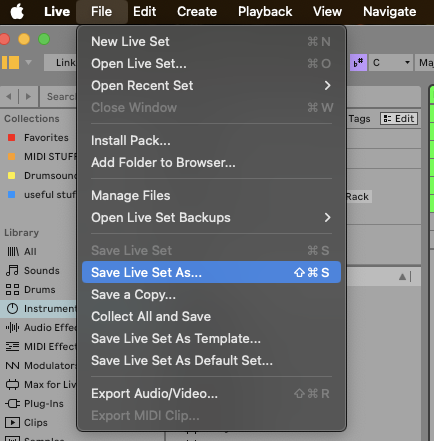
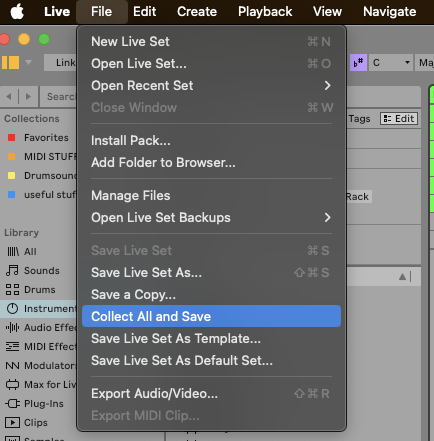
- go to “File -> Collect all and Save”
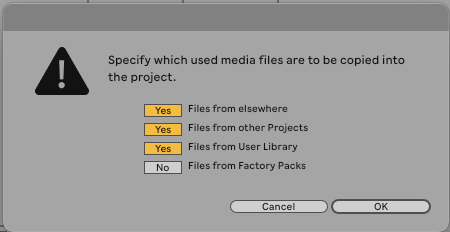
- you have different options what files are included. Make sure you have this selected:
Depending on what type of files you used in the project (croped, consolidated, freezed, recorded) you should see those folders:
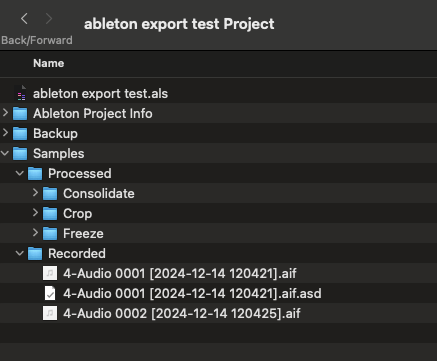
Now you can make a zip-archive and send it via the upload link or wetransfer or put it into the onedrive folder.