warping
To play the audio back at the right moment, Ableton looks for rhythmic events. These are also called Transients. You can manually adjust them, either to make it correct or to “abuse” them to create interesting sounds.
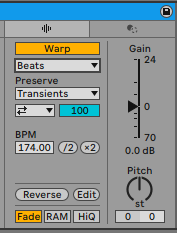 In the warp tab, you can:
- Turn the warping on and off
- select different modes, depending on the material
- more detail options, depending on the warp mode
- the calculated bpm (tempo) of the warped clip
- you can half or double the tempo
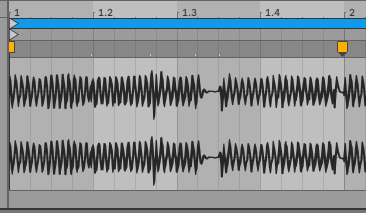 Ableton inserts Warp Markers, which you can drag to another place, or when holding down
 Shift before clicking you can drag the audio material.
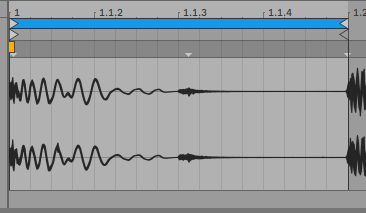 Not every transient is marked by a Warp Marker. There is another type, called Pseudo Warp Markers, which are little grey triangles. You can edit those:
- double clicking changes it to a (proper) Warp Marker
- with holding down shift before clicking, you can drag the marker to another place
- holding down
cmdand double clicking will insert also markers before and after the one you create.