Control Surfaces
You can use a whole varitey of external devices. In Ableton there are called “Control Surfaces”.
Novation Launchpad / Launchpad Pro
You can control:
- triggering / starting stopping clips in the session view
- triggering scenes
- control Mixer Elements: Vol / Pan / Sends
- playing Drums / Nates
To control Effects, you need to configure a custom mode. You can do this from your browser (if online): components or you can download the software here: https://components-updates.novationmusic.com/download
add a fader in custom mode
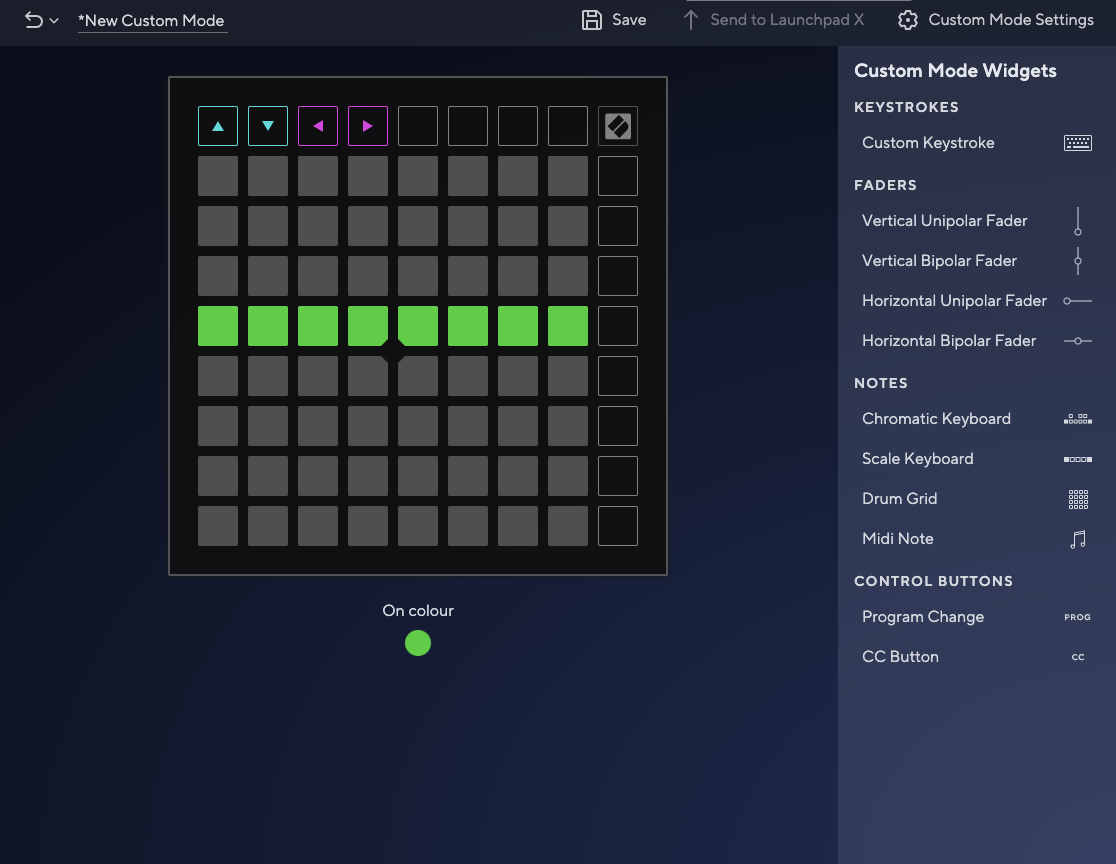
- add a custom fader, either vertical or horizontal, as you prefer
- add a UNIQUE MIDI Message
- save to the launchpad