MIDI mapping
To control parameter with an external midi device, you can “map” a control to a knob very easily:
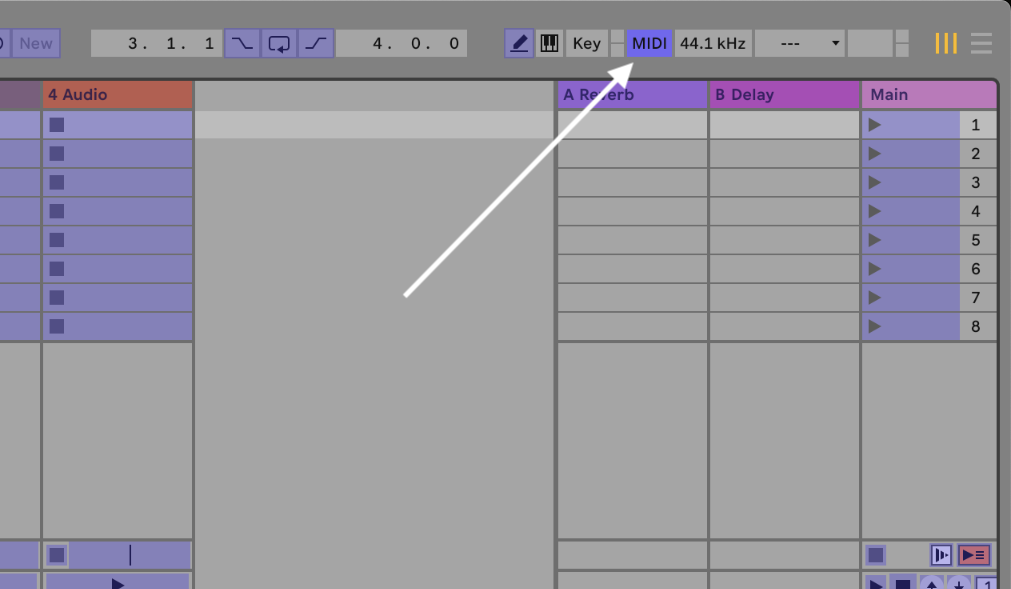
- open / activate midi map mode by clicking
MIDIin the upper right corner or use the shortcut:cmd-M - select the parameter you want to control
- move the knob / controller on the device
- repeat for any other parameter
- press
cmd-mor clickMIDI
possible reason(s) why it does not work:
-
the device is not configuered as a Remote Device:
- go to Preferences / Settings
cmd-, - got to tab “Link, Tempo & MIDI”
- under Inputs, you device must be checked as Remote
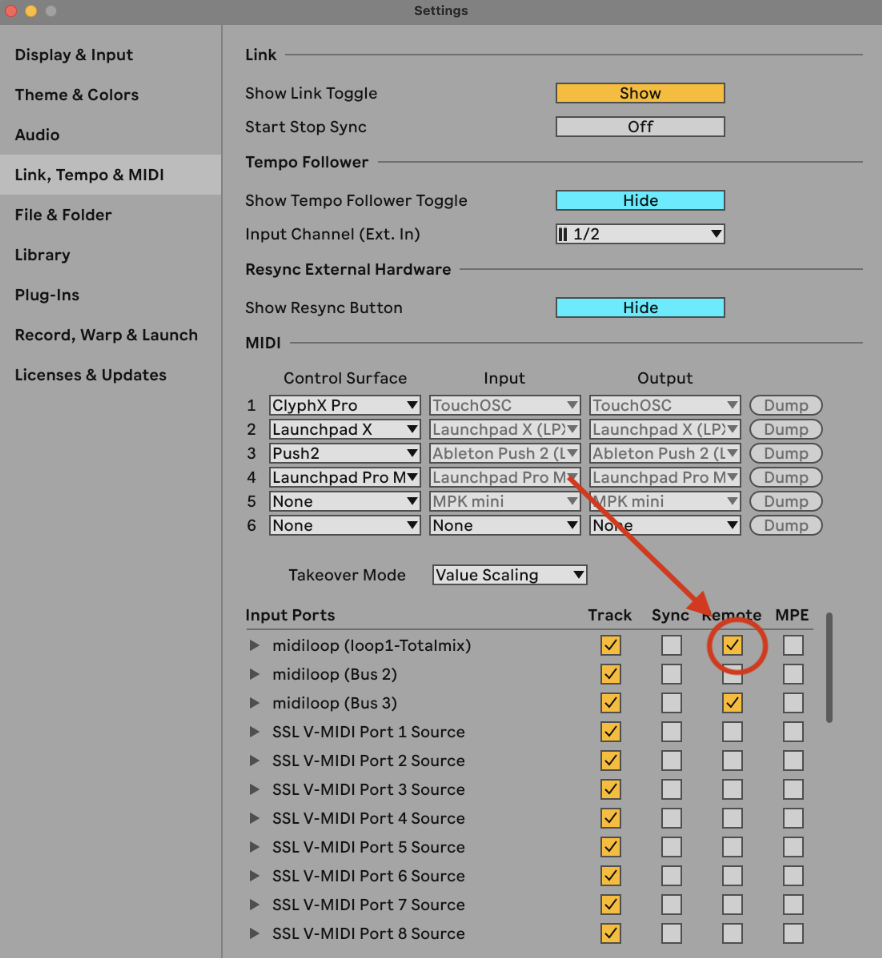
- go to Preferences / Settings
-
your device might not send midi data
-
the parameter you want to control is not available as a target.