Equalising, part 1
Frequency Balance
In addition to adjusting the overall volume of a track, you can control the balance of the frequencies of a sound. This process is called
Equalising
So if we compare volume to visually bright or dark, frequencies are the colors of a sound. Instead of green, red and blue we have: BASS, MIDS, HIGHS
What do we need it for?
Imagine each instrument in a song is like a different color on a painting. In a well-balanced painting, each color shines in its own space, so the picture looks clear and complete. But if certain colors – like darker shades – are painted over lighter ones, they can overshadow or cover them up, making parts of the picture less visible and vibrant.
In music, this happens with sound frequencies. When instruments “sit” in the same frequency range, louder or stronger sounds can mask others, making it hard to hear each instrument clearly. This is called masking. Equalising (or EQ) helps by adjusting the brightness or intensity of each “color” in the sound, so each instrument can be heard distinctly. By giving each one its own space, we create a clear and balanced mix, like a painting where every color has room to shine without being covered up.
different Types of EQs
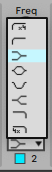
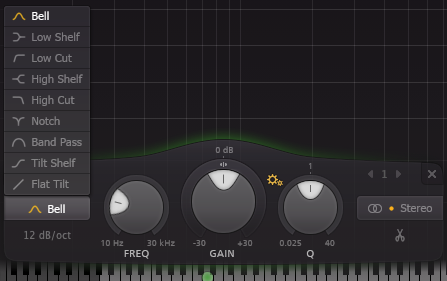
You can shape the sound by boosting (adding) or cutting (substract) frequencies (or a range of) of a sound. There are different possibilities or types of EQs:
| Ableton’s EQ Eight | FabFilter Q3 |
|---|---|
|
|
Filter / Cut
 With this one you should be already familiar. This will cut all Frequencies from a given point. Depending of which type, it cuts above or below.
- Low-pass / Hi-Cut : everything ABOVE a freq will be cut, the LOW Frequencies will remain.
- High-pass / Low-Cut: everything BELOW a a freq will be cut, the HIGH Frequencies will remain.
As you already came across this, we will continue to another type:
Bell
 This is the most used type. A bell EQ will change the amount of a distinct frequency range.
There are three parameters:
- Frequency: the CENTER of the frequency range. (in Hz)
- Gain: the AMOUNT of the change. You can boost or cut. (in +/- dB)
- Q: the size of the range. the factor is: 0.025 (very wide) - 40.0 (very narrow)
You normally have two different tasks with this:
- remove resonant / masking parts of a sound
- boosting a freq to enhance the character of the sound.
Shelf (high & Low)
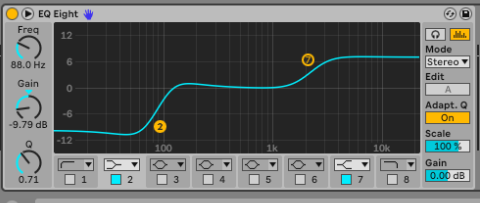 This is a EQ type we probably won’t use today. It is a sort of combination of the filter and bell. you can boost or cut a frequency range from a point above or below, depending on your type of shelf.